
Beschrijving
Corrigeren achtergrond transparantie in Lightbox
Ga naar: header | body | posts | reactie.| componenten | afbeeldingen
Communicatie
Hi Kees! 👋
Thank you for contacting Elegant Themes Support. Charieleen here, and I’ll be addressing this concern 🙂
Thank you for contacting Elegant Themes Support. Charieleen here, and I’ll be addressing this concern 🙂
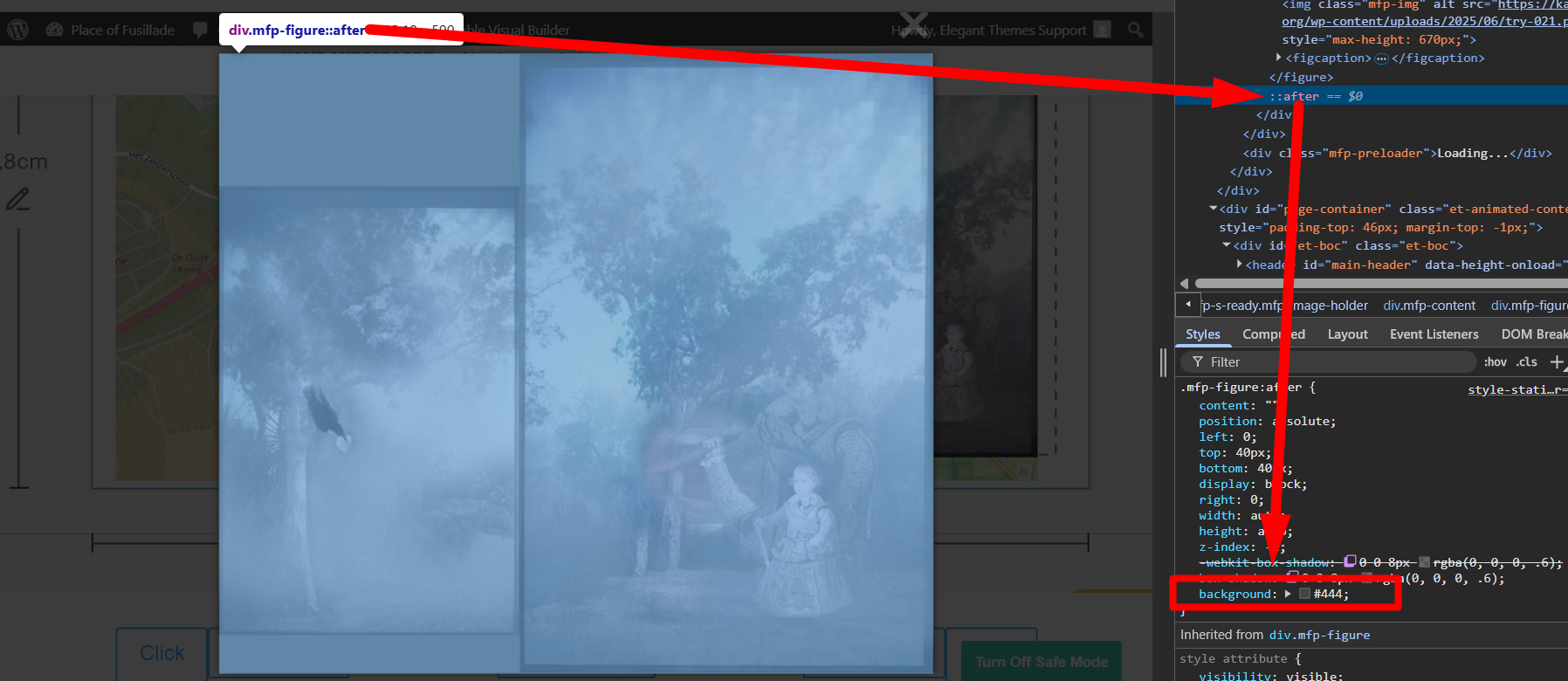
I checked again and the background color is coming a an
::after pseudo-element 👇
Please use this CSS code and add it to WP Dashboard > Divi > Theme Options > General > Custom CSS:
.mfp-figure:after {
  background: transparent !important;
  box-shadow: none !important;
}
And here’s the expected result 👇

Hope that works!
Attentie
Ga naar: header | body | posts | reactie.| componenten | afbeeldingen
Systeem aanpassen thema • Divi option > general > aangepaste css
Nog verder in te vullen………
Nog verder in te vullen………
.mfp-figure:after {
  background: transparent !important;
  box-shadow: none !important;
}
Aanvullende Css • Divi option > general > aangepaste css
Het komt er dus op neer dat dit de totale css is voor de Lichtbox !!!!
.mfp-container {
background: rgba(255, 255, 255, 0.75) !important;
}

.mfp-figure:after {
box-shadow: none !important;
}
.mfp-figure:after {
  background: transparent !important;
  box-shadow: none !important;
}
Divi options > integration > Voeg code toe aan de < head> van uw blog
Nog verder in te vullen………
Nog verder in te vullen………
Divi options > integration > Voeg code toe aan de < body >
Nog verder in te vullen………
Nog verder in te vullen………
Divi options > integration > Voeg code bovenaan uw posts toe.
Nog verder in te vullen………
Nog verder in te vullen………
Divi options > integration >
Voeg code onderaan uw posts toe, geplaatst voor de reacties
Nog verder in te vullen………
Nog verder in te vullen………
Divi componenten. aangepaste cs
Nog verder in te vullen………
Nog verder in te vullen………
Css in vrije vorm
Elementen voor
Hoofd elementen
Elementen na
Afbeeldingen
Nog verder in te vullen………
Nog verder in te vullen………
Ga naar: header | body | posts | reactie.| componenten | afbeeldingen | top
uitsluitend css. Zie ook foto onderaan !!